The Trilogy: Godot Edition - Part 8 - Cutscenes
Sorry babe, I’m an ambitious girl and you, you’re just small time.
In this part of the series we’ll take a look at how cutscenes are handled. We’ll skip the animation implementation for now, as I haven’t figured out the final details on how I want to import them into Godot yet.
Cutscenes in GTA are all rendered in real time in engine. You might have never seen them, but the locations that are used in cutscenes all exist somewhere on the map.
For example the famous intro cutscene of GTA: III happens around here, cleverly hidden behind the mountains:
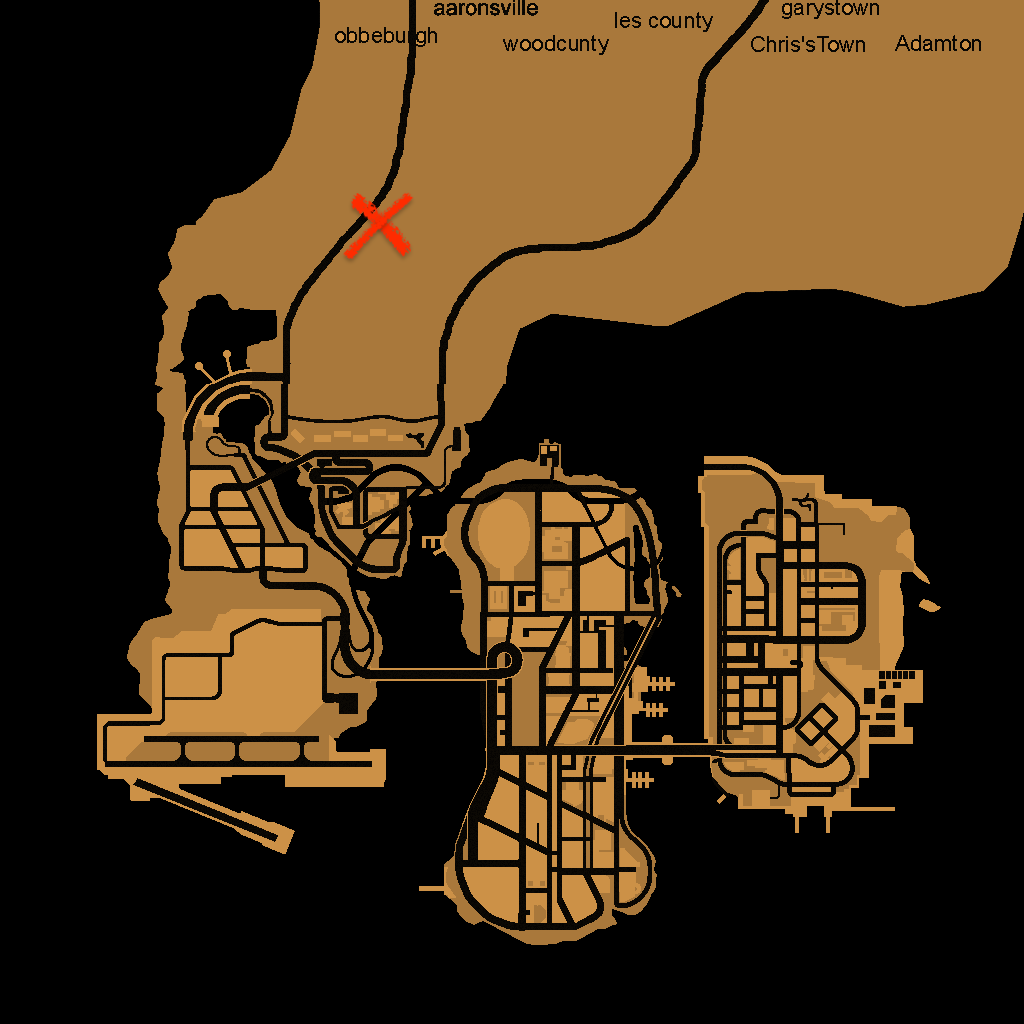
And GTA: VC’s intro cutscene actually plays inside the Ocean View Hotel. Hidden by Vice Cities new interior system.
The script
To see how those cutscenes are set up we’ll have to dive into the source of the mission script.
If we take a look at GTA: III intro.sc file, we see the following lines:
// **********************************START OF BANK CUTSCENE****************************
MAKE_PLAYER_SAFE_FOR_CUTSCENE Player

SET_INTRO_IS_PLAYING TRUE

LOAD_COLLISION LEVEL_GENERIC
LOAD_SPECIAL_CHARACTER 1 cat
LOAD_SPECIAL_CHARACTER 2 colrob
LOAD_SPECIAL_CHARACTER 3 miguel
LOAD_SPECIAL_CHARACTER 4 playerx
LOAD_SPECIAL_MODEL cut_obj1	cs_ban
LOAD_SPECIAL_MODEL cut_obj2 bankd
LOAD_SPECIAL_MODEL cut_obj3	cs_loot
LOAD_SPECIAL_MODEL cut_obj4	colt1
LOAD_SPECIAL_MODEL cut_obj5	cath
We’ll go into the details of the scripting language in another post (there is so much stuff to write about for this game!), for now let’s go over these opcodes one by one.
MAKE_PLAYER_SAFE_FOR_CUTSCENE Playermakes sure that nothing happens to the player during the cutscene. This prevents things like the player dying during the cutscene.SET_INTRO_IS_PLAYINGsets a flag indicating that the intro is playing, we don’t know what this does exactly, but I assume other pieces of the engine use this to determine if the intro is playing.LOAD_COLLISIONloads collision data.LOAD_SPECIAL_CHARACTER 1 catloads the character modelcatinto special character slot1.LOAD_SPECIAL_MODEL cut_obj1 cs_banloadscs_baninto cutscene object slotcut_obj1.
Let’s skip a little bit further in the script to the actual cutscene stuff:
LOAD_CUTSCENE bet
LOAD_SCENE -559.65 1030.56 40.0

SET_CUTSCENE_OFFSET -537.42 1051.204 36.884

CREATE_CUTSCENE_OBJECT PED_SPECIAL4 cs_player
SET_CUTSCENE_ANIM cs_player playerx

// More cutscene object setup

CREATE_CUTSCENE_HEAD cs_cat cut_obj5 cs_cathead
SET_CUTSCENE_HEAD_ANIM cs_cathead cat

// More cutscene object setup

START_CUTSCENE
Again let’s go over the opcodes one by one.
LOAD_CUTSCENELoads the cutscene data fromanim/cuts.img, this includes:bet.ifpthe key frame animation databet.datthe camera movement databet_cat.anmCatalina’s head animation data
LOAD_SCENETells the engine to load the scene at a specific locationSET_CUTSCENE_OFFSETCutscene data is based on a local coordinate system (0.0, 0.0, 0.0). To play the cutscene at the correct location an offset is applied.CREATE_CUTSCENE_OBJECT PED_SPECIAL4 cs_playerCreates a new cutscene object with modelPED_SPECIAL4stored in variablecs_playerSET_CUTSCENE_ANIM cs_player playerxApplies theplayerxanimation frombet.ifpto thecs_playercutscene objectCREATE_CUTSCENE_HEAD cs_cat cut_obj5 cs_catheadCreates thecathhead object on thecs_catcutscene object and stores it incs_catheadSET_CUTSCENE_HEAD_ANIMApplies thecatanimation frombet_cat.anmto Catalina’s head.START_CUTSCENEStarts the cutscene.
That’s quite some setup to play a single cutscene! To replicate the cutscene we have to do the same steps in Godot. In the next few posts I’ll describe the steps to get this cutscene playing.
The map
First of all we have to make sure the map is loaded, the intro cutscene is located at -559.65 1030.56 40.0 which should load if we load the map data from the landsw directory.
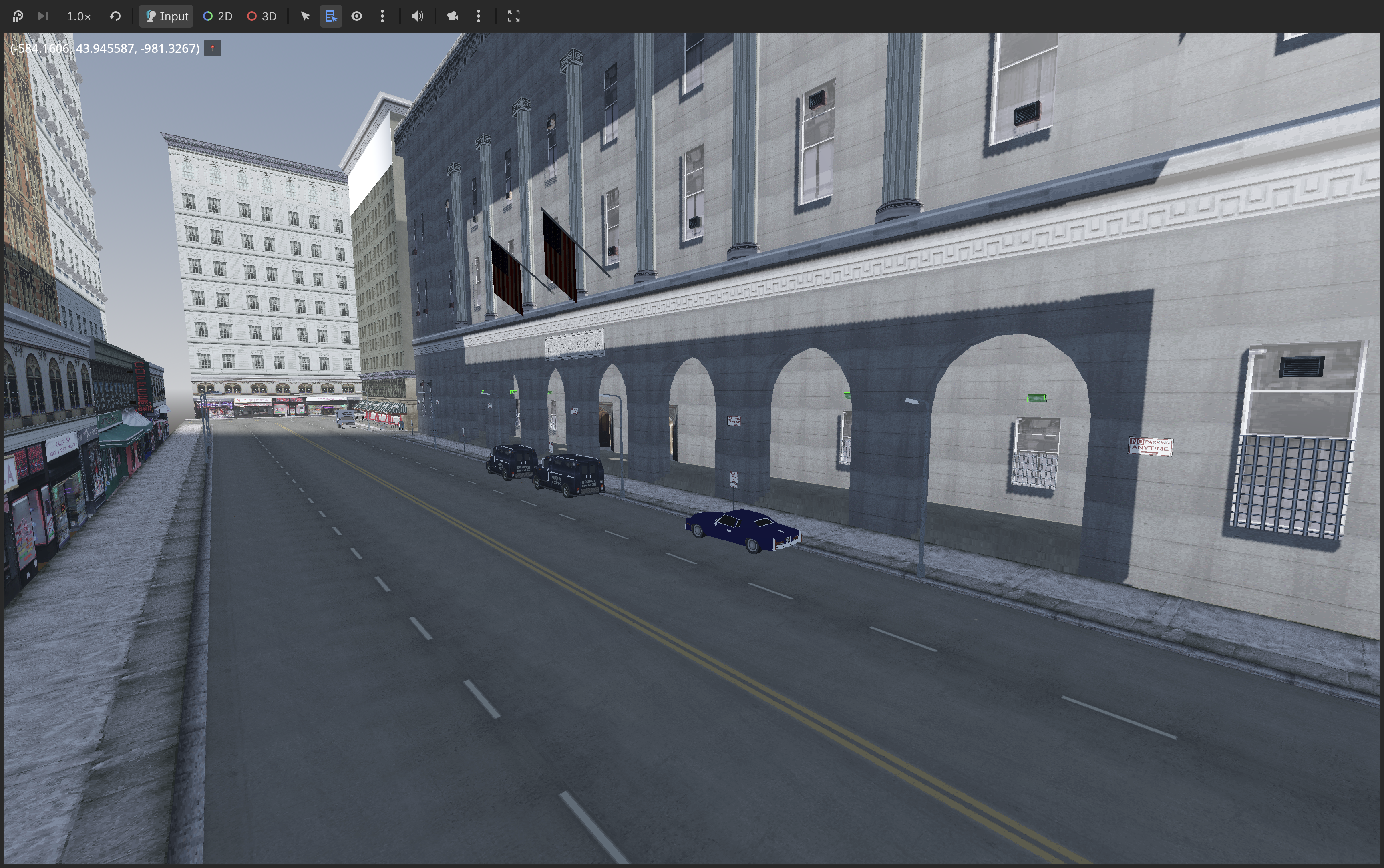
Rendering is a bit off, but it’s good enough for now!
In the next post we’ll take a look at camera movement data found in bet.dat.