The Trilogy: Godot Edition - Part 7 - Textures
It’s time to discuss textures. The way materials are handled in the Trilogy are much simpler then materials these days. No fancy normal maps or specular maps. Just a simple texture and perhaps an alpha texture for some translucent models.
Textures are stored in TXD files aka TeXture Dictionary.
ℹ️
Fun fact, GTA IV uses similar files but calls them WTD on Windows (Windows Texture Dictionary) and uses a different first character depending on the platform.
These texture dictionary files use the same format as DFF files as they are RenderWare based. Let’s have a look at a TXD file.
File structure
Because TXD files are just RenderWare files, we can view the file structure in the same tools as DFF files.
The tree of LoadSC0 looks like this:
RwTextureDictionary
├── RwTextureNative
│   └── RwExtension
└── RwExtension
TextureDictionary
This is the root section of TXD files, it contains the number of textures in the archive.
TextureNative
For each texture inside the archive there is a TextureNative section. This section contains info about the format of the texture data and the texture data itself.
Texture format
In this section we will go over some of the texture formats. A detailed description of the possible texture formats can be found at gtamods.com.
Mapping most of the texture formats to their Godot equivalent is quite easy:
⚠️️ Note: This table is incomplete.
| Compression | Raster format | Godot |
|---|---|---|
| DXT1 | FORMAT_1555 | ❌ Unsupported* |
| DXT1 | FORMAT_565 | DXT1 |
| - | FORMAT_565 | Rgb565 |
| - | FORMAT_4444 | ❔* |
| - | FORMAT_LUM8 | L8 |
| - | FORMAT_8888 | Rgba8 |
| - | FORMAT_888 | Rgb8 |
| - | FORMAT_555 | ❔* |
| - | FORMAT_EXT_AUTO_MIPMAP | Image.GenerateMipMaps() |
| - | FORMAT_EXT_PAL8 | ❌ Unsupported** |
| - | FORMAT_EXT_PAL4 | ❌ Unsupported** |
| - | FORMAT_EXT_MIPMAP | Flag that indicates that mipmaps are included in the data |
*We’ll get to this one in a later post**See section on palette textures below
With that in mind it’s pretty straightforward to turn TXD entries into Godot textures.
// texData contains our texture native section struct
int mipMapLevel = 0

ImageTexture.CreateFromImage(
    Image.CreateFromData(
        (int)texData.width,
        (int)texData.height,
        false, // Set depending on mipmap flags
        texData.getFormat(), // Performs the mapping from the above table
        texData.textureData[mipMapLevel] // Perform this for each mipmap level
    )
)
Palette Textures
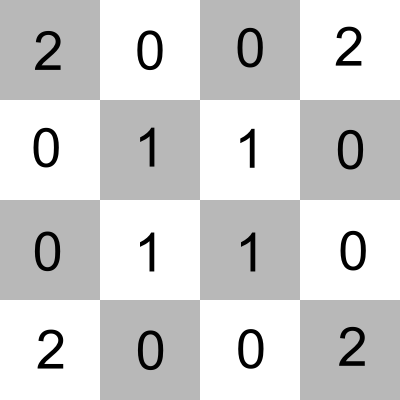
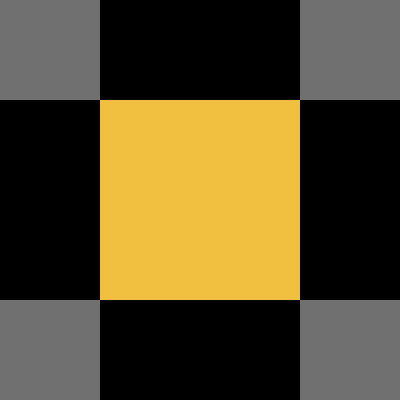
If we take a look at GTA: III we notice that a lot of textures use a palette. This means that the texture is split into 2 pieces of data. The regular texture data contains an array of indices in a range of 0 - 255. These indices point to the palette texture which contain the actual color data. It’s as simple as paint by number, lets take a look at the following example:
| Index texture | Palette texture | Result | ||
|---|---|---|---|---|
 |
+ |  |
= |  |
Godot (and modern graphic cards) don’t support this natively. We have three options to solve this:
- Transform the texture data at runtime. Create a RGB(A) byte buffer that has the size of the texture, loop through all indices and set the color accordingly.
- Transform the texture data at first run and store it on the users harddrive in the new format.
- A custom shader that performs the lookup.
In my implementation I went for option #3.
We’ll have to create a shader that takes 2 textures. One for the index texture and one for the palette texture.
uniform sampler2D index_texture : filter_nearest; // Using linear would mess up the indices
uniform sampler2D palette_texture : source_color;
Ideally our index texture would be of type usampler2D as our index range is an uint between 0 and 255, but due to
a bug in Godot this is not possible, instead we’ll need to
transform the index to an uint inside the shader.
To look up the index of the color pixel we have to retrieve the value from the index_texture. Due to the previously mentioned bug we then need to multiply the result by 255.0:
uint tex_index = uint(texture(index_texture, UV).r * 255.0);
With the index we can now perform a lookup of the actual color that is used inside the palette texture.
Instead of texture which takes normalized UV coordinates, we can use texelFetch which takes pixel coordinates.
vec3 tex_color = texelFetch(palette_texture, ivec2(int(tex_index), 0), 0).rgb;
And that’s pretty much it. My final shader code:
shader_type spatial;

render_mode cull_front;

uniform sampler2D index_texture : filter_nearest;
uniform sampler2D palette_texture : source_color;
uniform vec3 albedo_color : source_color = vec3(1.0, 1.0, 1.0);

void fragment() {
    uint tex_index = uint(texture(index_texture, UV).r * 255.0);
    vec3 tex_color = texelFetch(palette_texture, ivec2(int(tex_index), 0), 0).rgb;

    vec3 material_color = albedo_color.rgb;

    ALBEDO = tex_color * material_color;
}
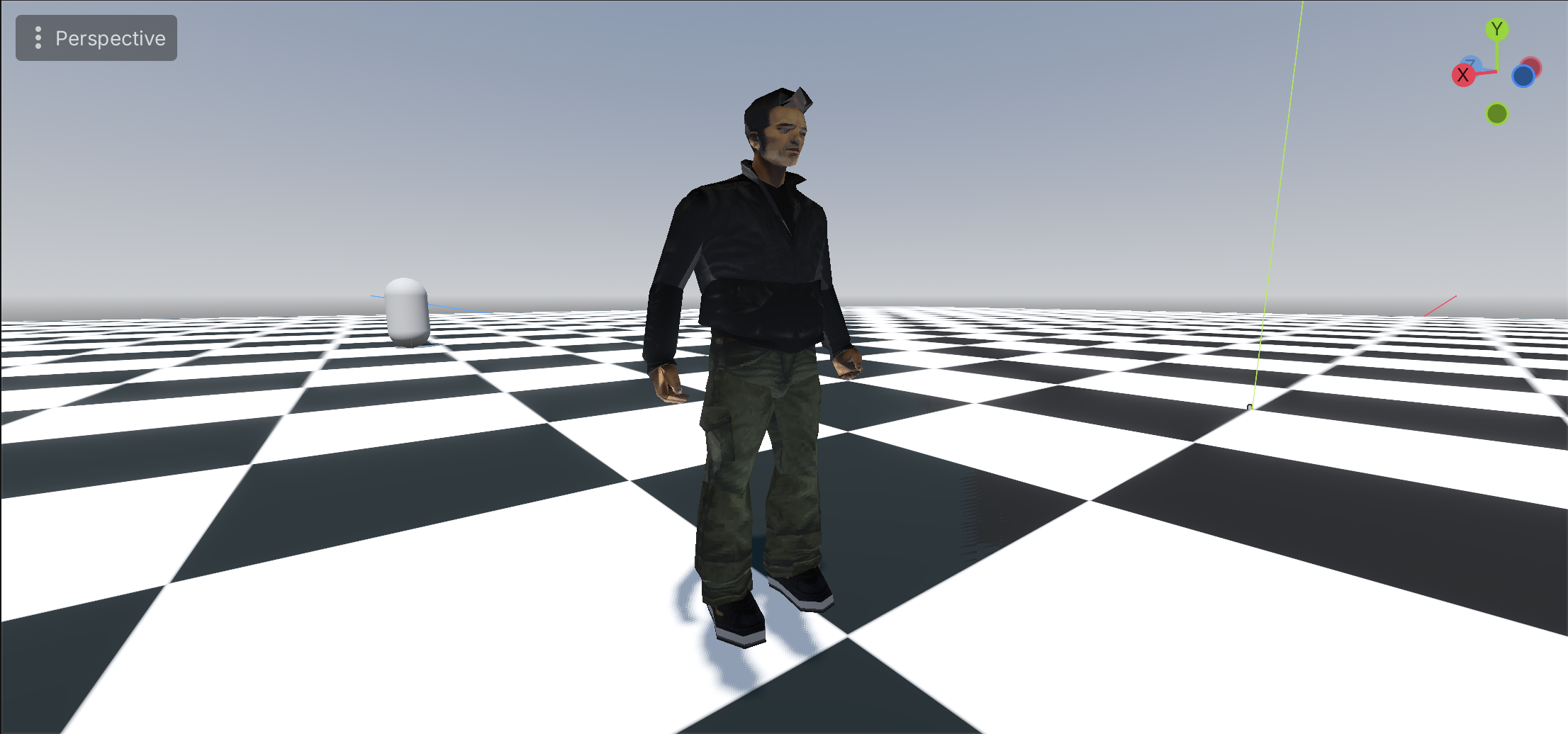
And the result: