The trilogy Godot Edition - Part 2 - Model hierarchy loading
In part 2 of this series we’ll take a look at slightly more complex models. First up we’ll take a look at a model that uses multiple geometries, this way we can see how the hierarchy is constructed.
Multi geometry model
Let’s take a look at the model SCHAIR.dff. This model is the chair used by Sonny in the intro cutscene of Vice City. This model can be found in the gta3.img archive, you’ll need an image editor to extract the model file from the archive.
If we print the RenderWare structure you can see that the tree is a bit bigger compared to the arrow.dff that we used in the previous part.
RwClump
├── RwFrameList
│   ├── RwExtension
│   │   ├── RwHAnimPlg
│   │   └── RwFrame
│   ├── RwExtension
│   │   ├── RwHAnimPlg
│   │   └── RwFrame
│   ├── RwExtension
│   │   ├── RwHAnimPlg
│   │   └── RwFrame
│   └── RwExtension
│       ├── RwHAnimPlg
│       └── RwFrame
├── RwGeometryList
│   ├── RwGeometry
│   │   ├── RwMaterialList
│   │   │   └── RwMaterial
│   │   │       ├── RwTexture
│   │   │       │   ├── RwString
│   │   │       │   ├── RwString
│   │   │       │   └── RwExtension
│   │   │       └── RwExtension
│   │   └── RwExtension
│   │       └── RwBinMeshPlg
│   └── RwGeometry
│       ├── RwMaterialList
│       │   └── RwMaterial
│       │       ├── RwTexture
│       │       │   ├── RwString
│       │       │   ├── RwString
│       │       │   └── RwExtension
│       │       └── RwExtension
│       └── RwExtension
│           └── RwBinMeshPlg
├── RwAtomic
│   └── RwExtension
├── RwAtomic
│   └── RwExtension
└── RwExtension
The main difference is the amount of frames (4) and geometries (2), accompanied by 2 atomic sections to match the geometry entries to a frame.
Let’s start with taking a look at the frame data inside the FrameList.
Frame 1
Name: "schair_dummy"
ParentIndex: -1
Frame 2
Name: "schair"
ParentIndex: 0
Frame 3
Name: "schrbot"
ParentIndex: 1
Frame 4
Name: "schrtop"
ParentIndex: 1
In this case schair_dummy is the root node which is located at index 0. The parent index is set to -1 which indicates it does not have a parent. schair on the other hand has a parent index of 0, which indicates that it’s parent is schair_dummy. Last but not least we have 2 frames called schrbot and schrtop (Sonny Chair Bottom and Sonny Chair Top) which have a parent index of 1 aka schair.
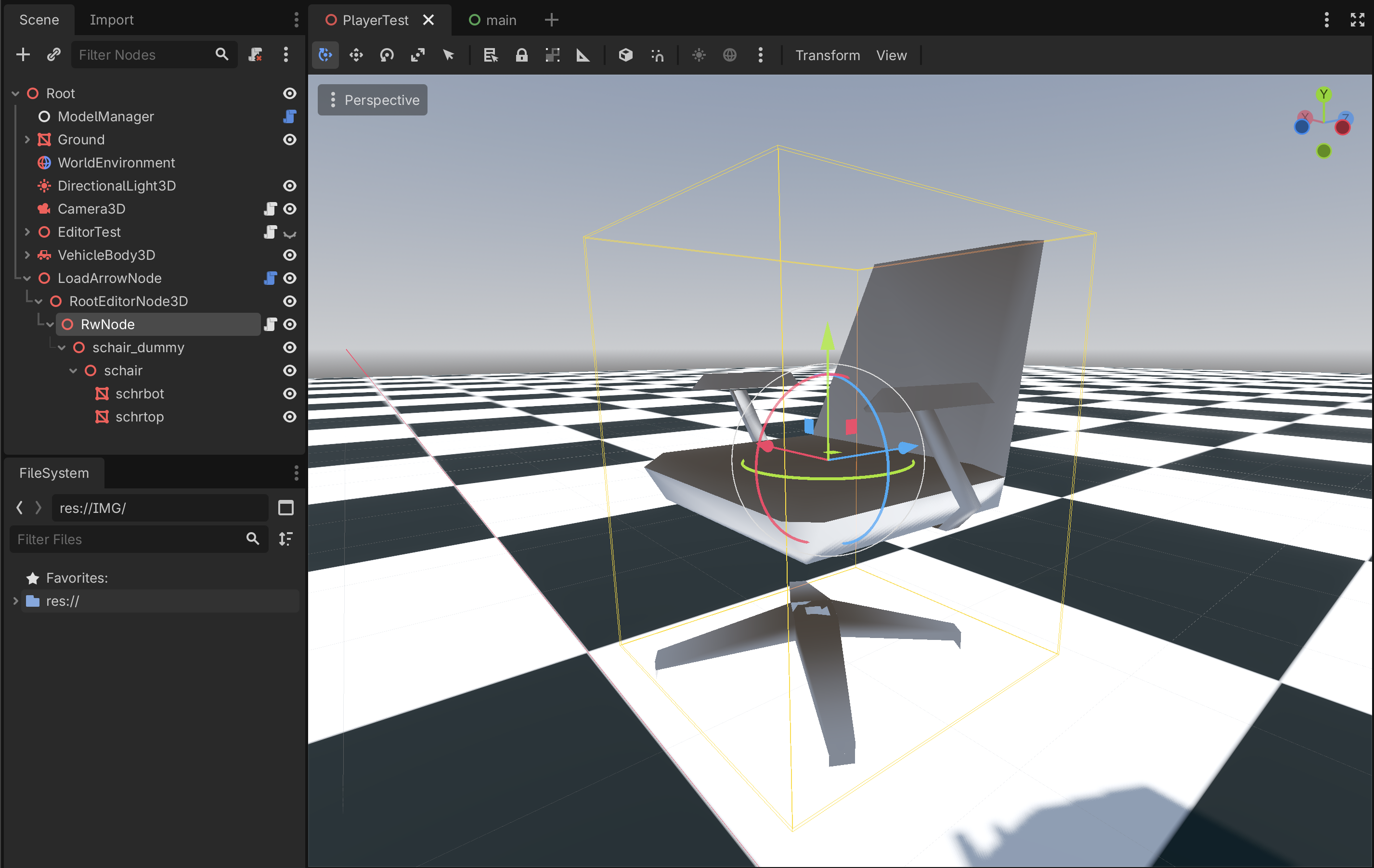
The hierarchy we end up with is:
schair_dummy
    └── schair
        ├── schrbot
        └── schrtop
If we use the same approach as we used in part 1 of this series, we expect the following, very similar, output hierarchy.
Node3D
└── schair_dummy
    └── schair
        ├── schrbot
        └── schrtop
And here it is schair in Godot.
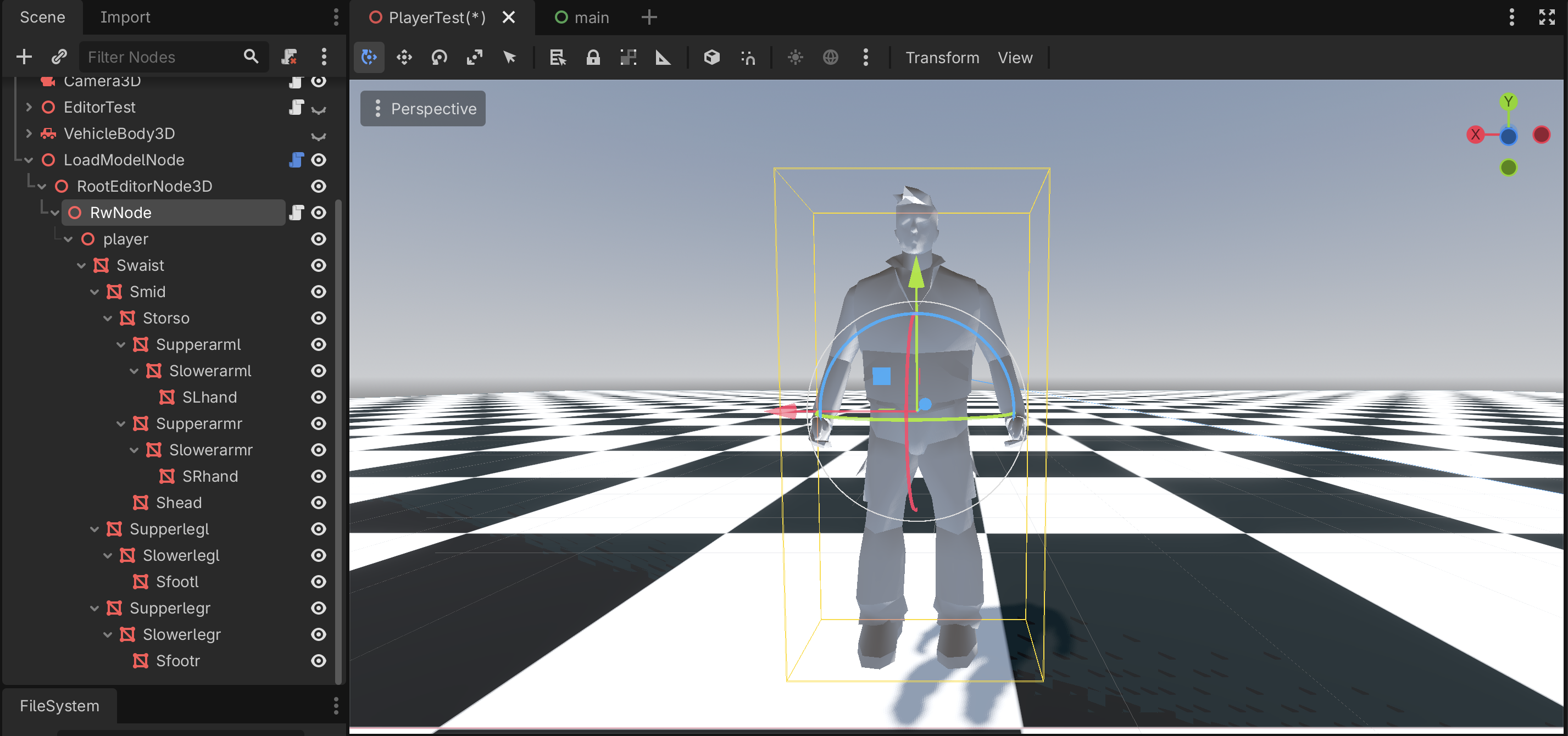
Fun fact, GTA: III doesn’t make use of skinned meshes for their animated characters, but instead relies on the above technique to construct its models. So here is a little screenshot of Claude:
That’s it for now, see you in part 3!